CrownCAD Share
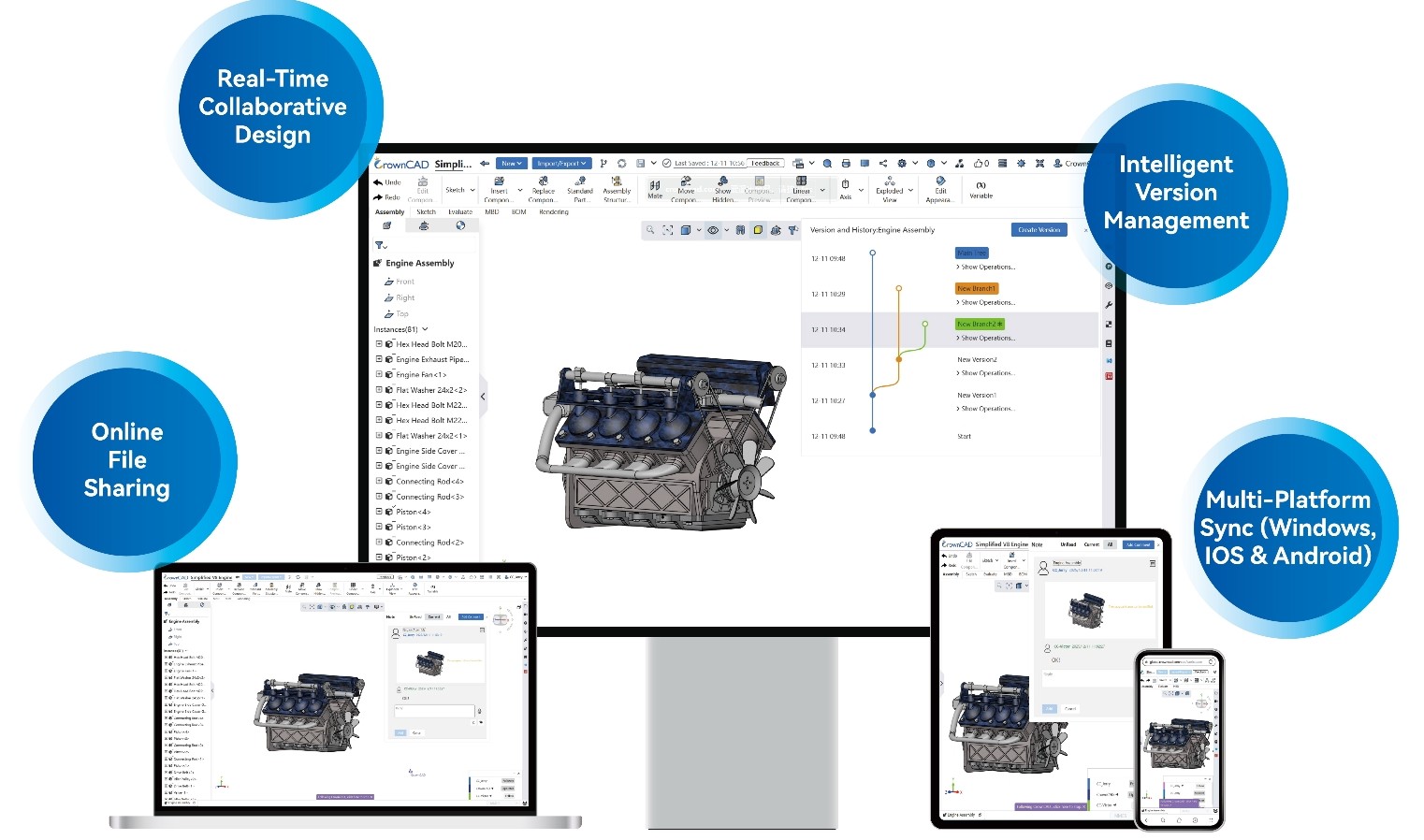
Easily Share 3D Models, Collaborate Quickly
In product design and engineering, transferring CAD data among team members, clients, and stakeholders is a routine process. However, traditional CAD file sharing can lead to issues, including large file sizes, downloading multiple file versions, and the complexity of verifying which file is the most up to date.
CrownCAD Share makes sharing 3D models and design data much more convenient. By sharing via Links and QR Codes, users can quickly forward data to team members, clients, or stakeholders without the need to send large CAD files through email or chat applications every time.
What is CrownCAD Share ?
CrownCAD Share is a cloud-based function for sharing 3D models and design data. Users can generate a shareable link or QR code to distribute to relevant parties—whether for internal team collaboration, production reviews, client presentations, or sharing data for quotations. CrownCAD Share makes accessing information faster and more convenient.
Key Features of CrownCAD Share
| Share 3D models via links | Share data via QR codes | Eliminate issues with sending large CAD files | Convenient for client presentations | Ideal for cross-functional collaboration | Supports cloud-based CAD workflows |
|---|
Why use CrownCAD Share ?
In real-world workflows, CAD data often involves multiple stakeholders—ranging from design and manufacturing engineers to production teams, sales staff, and customers. Traditional file-sharing methods can lead to cumbersome processes, such as:
Creating the file → Exporting → Compressing → Emailing → Downloading → Opening → Sending a new version.
Frequent model revisions often result in a proliferation of file versions, leaving recipients unsure which file contains the latest data. CrownCAD Share transforms the workflow from "sending files" to "sharing data," allowing users to generate a link for the desired model and send it directly to the relevant parties.
How to use CrownCAD Share
Sharing a model is convenient and involves the following key steps:
1. Open the model you wish to share. Open the project or 3D model in CrownCAD. Before sharing, verify that it is the correct model or version intended for the recipient.
2. Select the Share command. Choose the Share function to generate a sharing link. The system will create the necessary access details for the model.
3. Copy the Share Link. Users can copy the generated link and distribute it via various channels such as Email, LINE, Microsoft Teams, Slack, chat applications, or presentation materials.
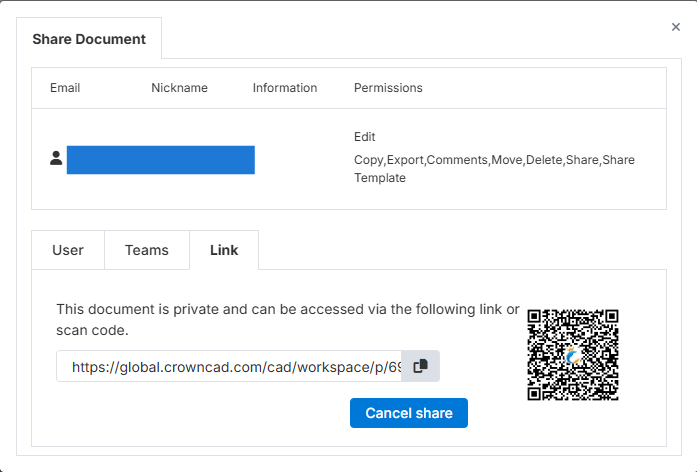
4. Use the QR Code. In addition to the link, users can utilize a QR Code for documents or promotional materials—for instance, by embedding the code directly into various files.
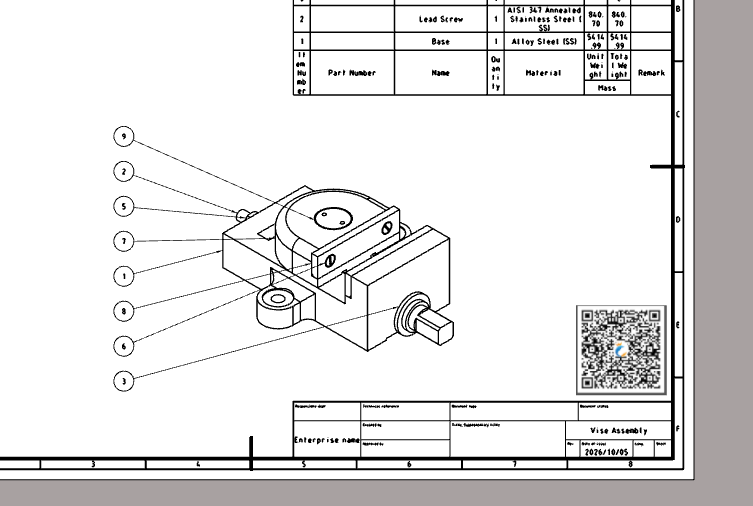
| Quotation | Product Catalog | Technical Document | Presentation | Meeting Documents | Project Handover Documents |
|---|
Clients or relevant stakeholders can scan the QR Code with a smartphone to access the shared information.
Example of using CrownCAD Share.
1. Sharing 3D Models with Customers
Sales staff or Sales Engineers can use CrownCAD Share to send 3D models to customers during product presentations.
Instead of sending large CAD files via email, you can generate a shareable link and send it directly to the customer.
Sales Engineer → CrownCAD Share → Share Link → Customer
This makes presenting 3D data faster and more convenient.
2. Sharing Models via QR Codes in Quotations
Companies can include a QR code for the 3D model in documents such as quotations or product specifications. Examples include:
Quotation
Product Details
Specification
Quotation → QR Code → 3D Model
Customers can scan the QR code with their smartphones to instantly view the relevant model data.
This approach enhances product presentation convenience and better links business documents with 3D data.
3. Sharing Work Between Design and Manufacturing
Once a Design Engineer completes a part design, the data may need to be sent to the manufacturing team for review.
CrownCAD Share makes it easier for engineers to share design data with relevant stakeholders.
Example Workflow:
Design → Share Model → Manufacturing → Review
This reduces the steps involved in transferring files back and forth between teams.
4. Sharing Models for Meetings and Presentations
During meetings with clients or internal teams, users can share a link or QR code for the 3D model, allowing all participants to access the same data.
Ideal for presentations such as:
| Product Design | Machine Design | Mechanical Parts | Mold Design | Automation Equipment | Engineering Projects |
|---|
CrownCAD Share and Cloud-based CAD Workflows
Modern CAD workflows go beyond mere 3D modeling; they also encompass data management and sharing among stakeholders.
Cloud CAD systems shift the workflow from managing files on individual local machines to working with data directly in the cloud.
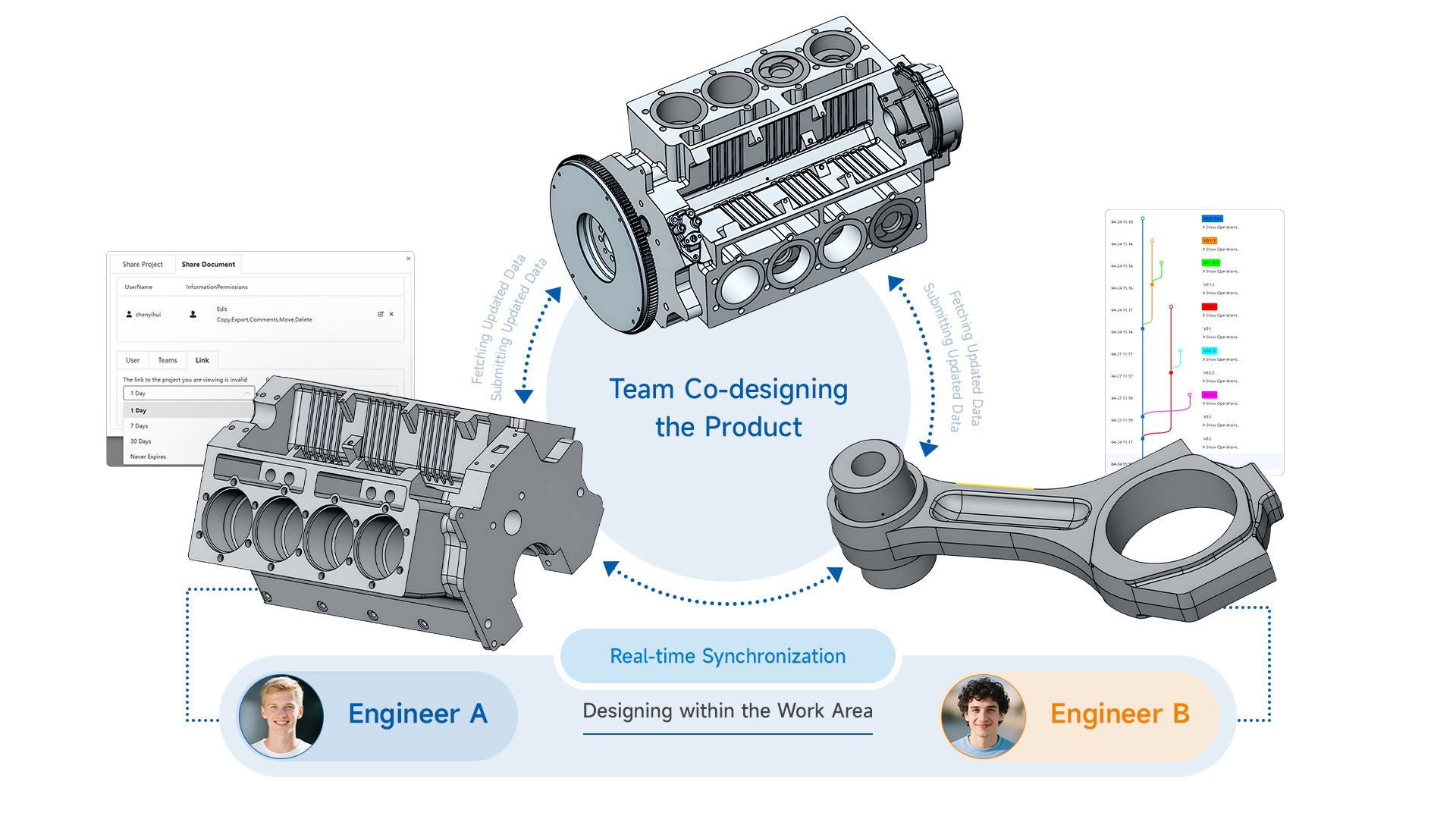
CrownCAD Share is an integral part of this workflow, facilitating easier design data sharing.
Instead of asking:
“Have you sent me the CAD file yet?” → “Just send me the share link.”
How do share links and QR codes benefit engineering tasks?
Using links and QR codes makes it easier to integrate 3D data into other operational processes.
For example:
3D Model → Share Link → Customer
or
Quotation → QR Code → 3D Model
or
Product Catalog → QR Code → Product Model
This transforms the 3D model from a file used solely by engineers into a tool for communication with customers and internal teams.
Who is CrownCAD Share for ?
| User Groups | Benefits of CrownCAD Share |
|---|---|
| Design Engineer | Share models with teammates for review or further work |
| Manufacturing Engineer | Access design data to assist in production planning |
| Sales Engineer | Present 3D models to customers and use them in product proposals |
| Project Manager | Share project data with relevant stakeholders |
| Customer | Access models shared by vendors or engineering teams |
Simplify CAD file sharing
Traditional CAD file sharing methods often have limitations, such as:
| Challenge | CrownCAD Share Solution |
|---|---|
| Large CAD files | Share via link |
| Repeated file transfers | Send a share link |
| Sharing with multiple people | Send a single link to all stakeholders |
| Integration with documents | Use a QR code |
| Presenting models to customers | Share models via link |
| Collaboration | Share data for team access |
Summary
CrownCAD Share makes sharing 3D models and design data easier through share links and QR codes.
Whether it involves inter-team engineering workflows, reviews with the production department, product presentations to customers, or embedding 3D models into business documents, CrownCAD Share streamlines file sharing and improves data accessibility.
For organizations seeking to enhance collaborative efficiency, CrownCAD Share is a key feature supporting Cloud CAD and collaborative design workflows.
To learn more about CrownCAD and cloud-based collaborative design, contact TCIS for details and a product demonstration.
Ready to Transform Your
Engineering Workflow?
Join leading engineering teams who are building the future with CrownCAD.